THE CASH-FLOW CALENDAR THAT LOOKS AHEAD

See what’s coming.

Bills, paydays, and your future balance. All in one simple calendar—so you can spend with more confidence and fewer surprises.

No bank connection required·Works on phone and desktop·Sharing is optional
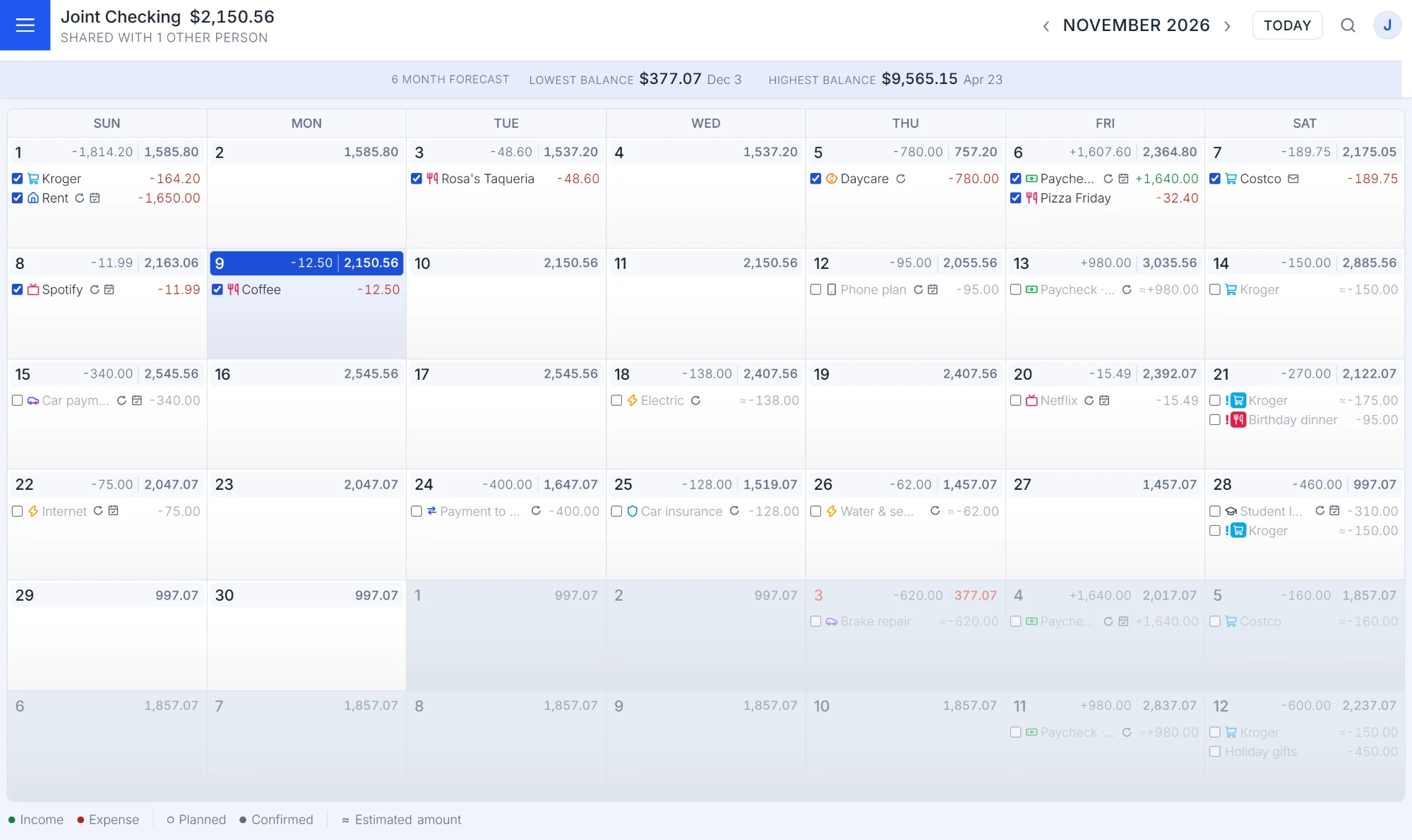
The Wendoo month calendar for a shared checking account, with each day's entries and end-of-day balance
See the future of your money, one day at a time.
Know your future balance Stay in sync—or go solo See potential shortfalls early
A LITTLE FORESIGHT GOES A LONG WAY

The balance you see today isn't the whole story.

That money might already have a job to do. Wendoo puts your bills and income on a timeline so you can see what’s available after life happens.

Know when bills are coming.
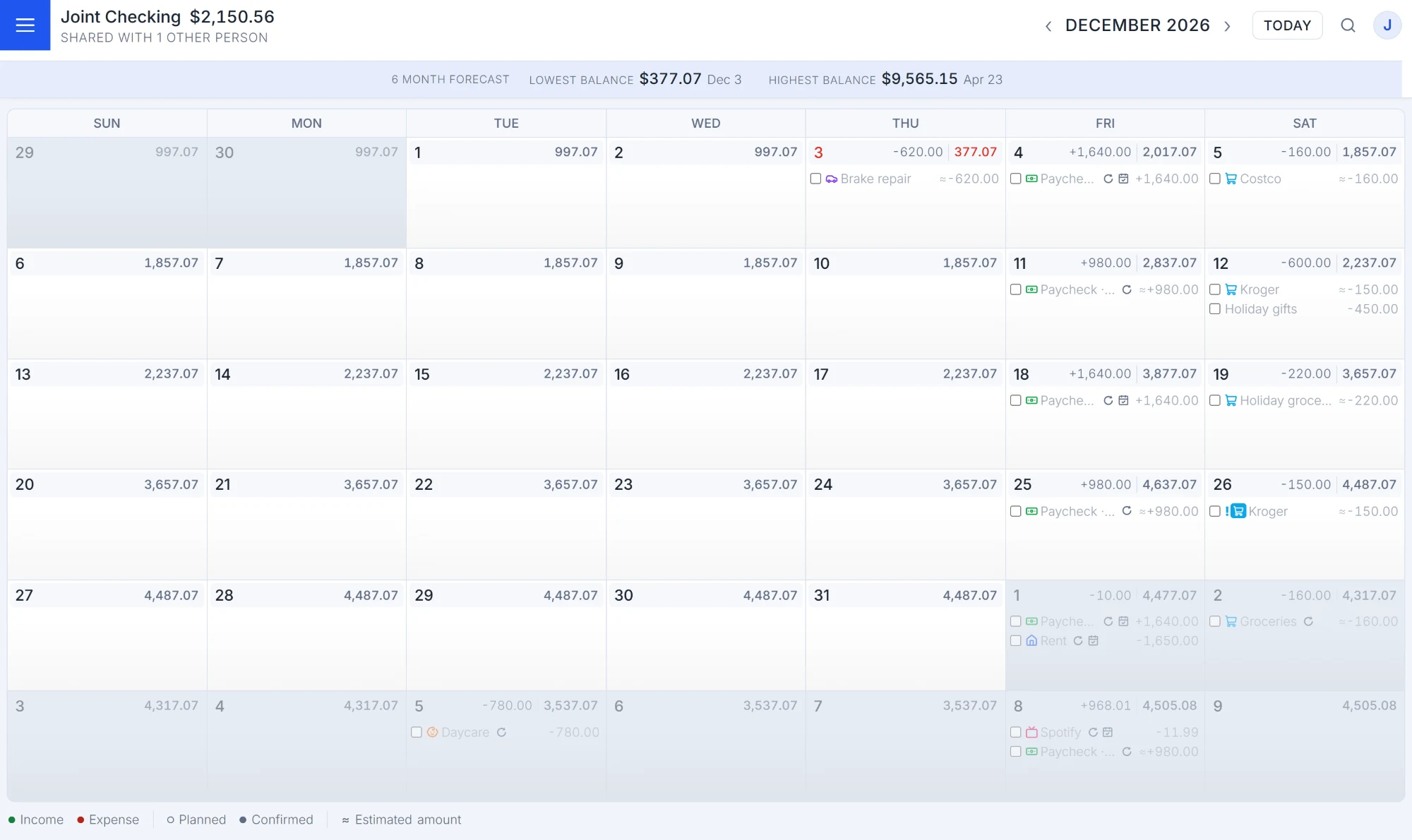
Spot tight stretches before they happen.
Make purchases without the second-guessing.
Explore all features
December in Wendoo: a planned brake repair on the 3rd turns that day's balance red, a tight spot you can see weeks ahead
NOT MORE FINANCE HOMEWORK

Money clarity, minus the complexity.

Just enough features to keep the whole picture in view—with the details when you want them.

A calendar that actually looks ahead.

Recurring bills and paydays roll into daily projected balances, so next Tuesday doesn't have to be a mystery.

Meet your forecast
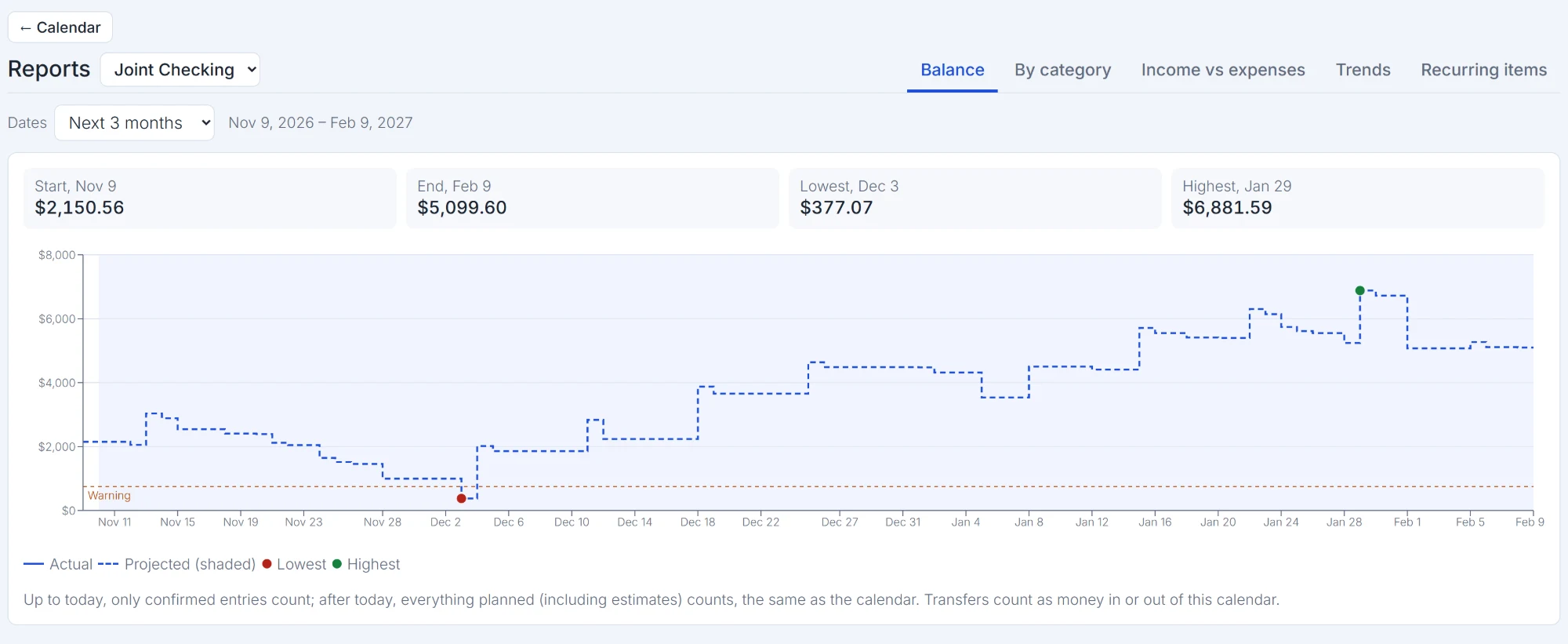

Wendoo's Balance report: the projected balance for the next three months, with the lowest and highest days marked

Your money. Your people. Your choice.

Keep your own calendars private or share an account with the people you trust.
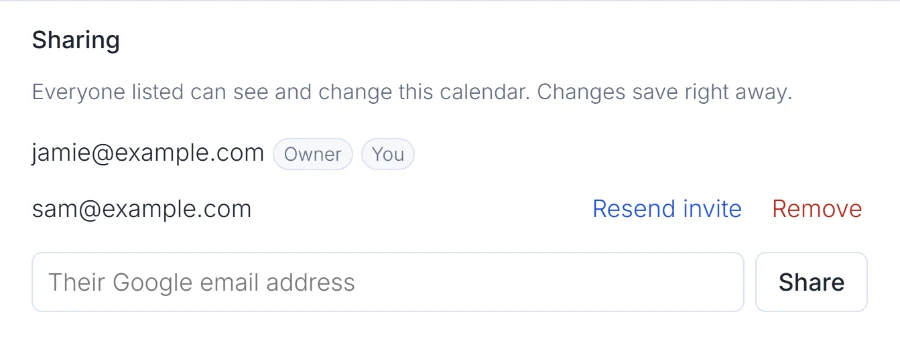
Sharing settings in Wendoo: the calendar's owner and the person it is shared with

Forward an email. Skip the typing.

Send a bill or transaction alert to your private Wendoo address. Email In can turn it into an entry.
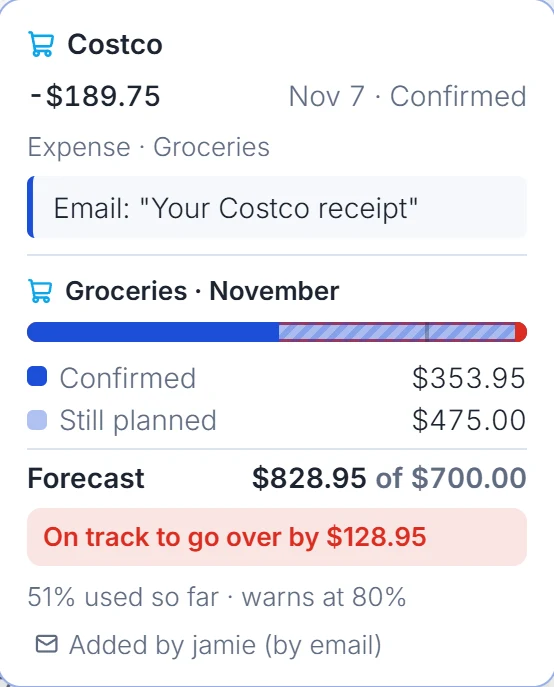
An entry added from a forwarded Costco receipt, with the groceries budget for the month
THREE STEPS, ONE CLEARER PICTURE

Easy to start. Easier to keep up.

You don't need to connect a bank account or set up a complicated budget.

01

Add a calendar

Start with checking, savings, or a credit card and its current balance.

02

Fill in what’s coming

Add bills, recurring expenses, income, and transfers on their expected dates.

03

See ahead

Watch daily balances unfold. Adjust your plans before surprises hit.

LESS TYPING, MORE LIVING

Forward the bill.
We'll take it from here.

Wendoo's Email In feature can read a forwarded bill or purchase alert, suggest a category, and add it to your calendar—or update a bill you already planned.

See how Email In works
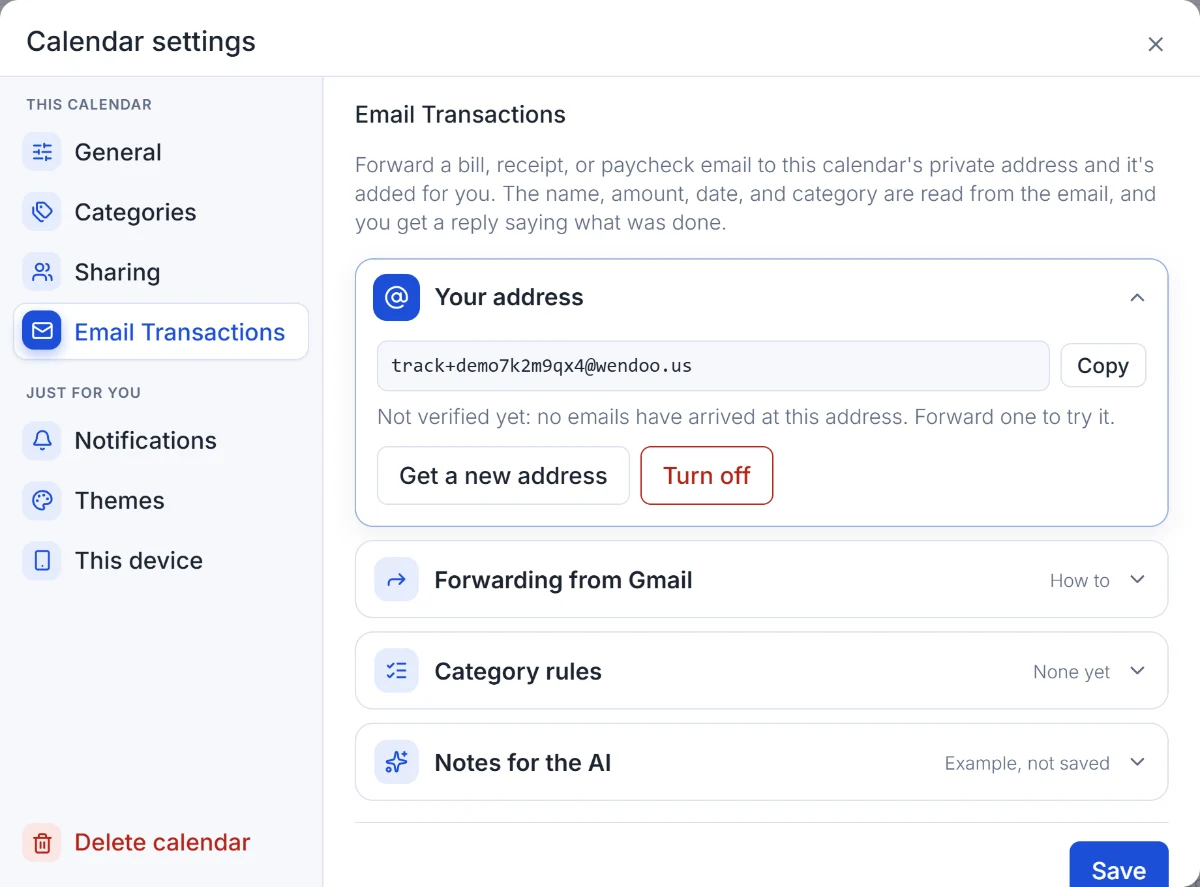
Email Transactions settings: the calendar's private forwarding address, Gmail forwarding, and category rules
WE GET IT

Because buyer’s remorse sucks.

There’s nothing fun about realizing the bills were coming all along. Know what’s ahead, make your move, and get back to living.

Give Wendoo a try
A FEW GOOD QUESTIONS

Wondering about Wendoo?

From sharing to credit cards, we’ve got answers.

Do I have to connect my bank?

No. You enter your starting balance and planned transactions. Email In can make adding some entries easier.

Can I use Wendoo by myself?

Absolutely. Sharing is optional, and you decide which calendars other people can access.

Does it work on my phone?

Yes. Wendoo runs in your browser and can be added to your phone's home screen.

More answers